The Ultimate Game Panel
Pterodactyl has had this title for quite some time. With the right script, it’s relatively easy to install. Setting it up is a bit more challenging, though. But in the end, you have a lot of freedom.
However, the basic Gamepanel is relatively bare-bones. If you want to customize it, you’ll have to program it yourself or spend hundreds of euros on websites like BuildByBit to buy add-ons—which you’ll have to install yourself—and there’s no guarantee that they’ll all work or be compatible with each other.
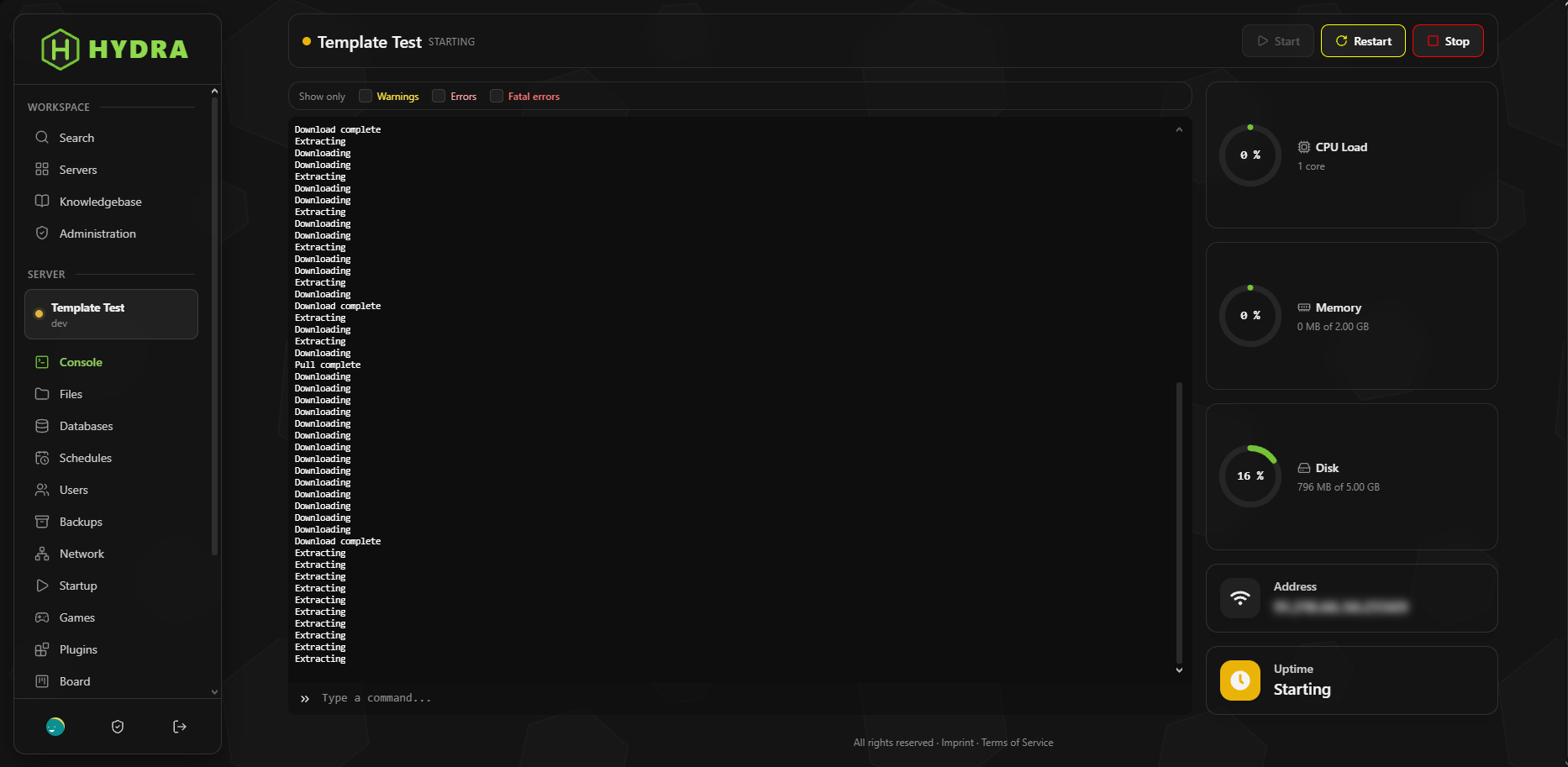
That’s where HYDRA comes in!
We started using Pterodactyl in early 2024 and spent over 1,500€ on add-ons and themes. Time and again, something didn’t work right, and installation sometimes took an entire day. HYDRA is designed to address exactly this issue and, at a current price of about 300€, provide you with everything you need.
Changelog
Pterodactyl, Fork, Gamepanelv1.11.022 Nov 2026
- Settings > Domain: Change the panel's address with a single click. Caddy, the HTTPS certificate, .env, phpMyAdmin, and all nodes will be updated; the previous domain can be set to redirect to the new one. The system first checks whether the domain points to the server; redirects can be removed later. You have the permissions to “View Domain” and “Change Domain.”
- Installer: New command “hydra-panel domain --domain <domain> [--redirect-old]” for the same change on the server.
- Wings takes over a new panel address without a restart (the console, uploads, and feedback to the panel immediately go through the new domain). To do this, the node must be updated.
v1.10.020 Nov 2026
- Add-on Mods: Search for, install, update, disable, and delete mods for Fabric, Forge, NeoForge, and Quilt servers from Modrinth and CurseForge. Sidebar with categories (Adventure, Optimization, Technology…), Minecraft version, and mod loader—the loader is automatically detected. Required dependencies, such as the Fabric API, are installed automatically; client-only mods are hidden. Custom “Mods” permission group for subusers.
- Addon Modpack Installer: Install modpacks from Modrinth and CurseForge with a single click. The panel installs the Minecraft version and mod loader in the exact versions required by the pack, along with the appropriate Java image, followed by configs and mods. Existing files can be deleted, saved as a game profile, or retained along with the world during updates. Progress is displayed in real time on the page, and installed mods appear in the Mod Manager.
- Plugin and Mod Manager: new setting “Hide on servers without a folder.” On: The menu item appears only if the folder exists. Off: The page explains how to access the folder.
- CurseForge API Key: The validation check when saving tests the key and the search separately and displays the result below the field; the key is always saved.
- Installer: a second queue worker, “hydra-queue-long,” for long-running tasks such as modpack installations, so that emails and syncs don’t have to wait.
- Plugin Page: Anyone who was on the page when the plugin folder disappeared used to see a “Page Not Found” error; now they are redirected to the server's homepage.
- README.md
v1.9.019 Nov 2026
- Add-on Plugins: Search for, install, update, disable, and delete plugins for Minecraft servers directly in the panel. Sources include Modrinth, Hangar, and SpigotMC; filter by server software, proxy software, and Minecraft version in a sidebar. Updates for installed plugins are detected. This tab appears only if the server has a “plugins” folder. Dedicated “Plugins” permission group for subusers.
- Privacy Blur Add-on: IP addresses and email addresses are blurred and only become visible when you hover over them—handy for streaming or taking screenshots. The intensity is adjustable, and can also be configured in the admin panel if desired.
- Designer > Loading Animation: Select a loading animation style (ring, hourglass, dots, shockwave, pulse, bar, or your own GIF) and adjust the speed.
- Custom footer text for each language (Designer > Metadata) with placeholders for the year and panel name. The note “Hydra by WyvernLabs®” now appears only in the admin area.
- Profile redesigned: larger preview on the left, account information in its own box, banner settings under “Profile Appearance.”
- Designer > Images: The width and height of the logo in the sidebar can be adjusted.
- The “About You” field in the profile settings has been removed.
- README.md
v1.8.012 Nov 2026
- Add-on Board: Kanban board per server in the new “Board” tab. Color-coded columns and blocks with descriptions, a checklist with a progress bar, and custom tags (e.g., priorities)—all movable via drag-and-drop. Blocks can be claimed to show what you’re currently working on. Dedicated “Board” permission group for subusers, with limits per server in the admin area.
- Config-Sync Add-on: Save YAML configurations in a folder using the file editor, and after a plugin update, use “Sync” to import all values into the newly created configuration file. The structure and comments of the new configuration are preserved; imported keys are highlighted, and keys that no longer exist are listed. New permission: “Config Folder & Sync.”
- File Manager: You can hide the column showing the modification time by clicking the clock icon next to the filter, so that long file names have more space.
- Expanded drop-down lists (such as the file type in the editor) are now dark and easy to read, even with glass themes.
- Updates in the Admin Area: The “New” label is always green, regardless of the accent color.
- README.md
v1.7.011 Nov 2026
- Knowledge Base Add-on: Categories, subcategories, and articles with Discord formatting, images, videos, and embedded YouTube links; each article is available in all languages (default language required). Manage via Service Management > Knowledge Base using a collapsible tree in the sidebar; accessible to users at a customizable URL with search functionality, and optionally without requiring login.
- Designer: The Design section is now a standalone designer with its own sidebar instead of tabs, and a live preview (desktop, tablet, mobile) that instantly shows colors, boxes, backgrounds, and the login page—even before you save.
- Designer > Login: three styles for the login page (Classic, Split, Side-by-Side—the last two also available in mirrored versions), a custom image, as well as a headline, subtitle, and info box for each language.
- Time-Limited Servers: An optional expiration date can be set when creating a server and under Server > Manage (using the “Duration” permission). Once the expiration date passes, the server is automatically locked; setting a new date unlocks it again.
- The remaining time is displayed as a countdown in the center of the top bar on each server and in a new column in the server list in the admin area.
- During a panel update, Settings > Updates displays an animated, estimated progress bar showing the current step, the estimated duration, and all steps of the update.
- Design > Maintenance Page: Custom “503 – Service Unavailable” page with a customizable title, description (per language), and background. The box floats slightly and uses the colors from “Boxes & Areas.”
- Blocked servers display a solid red line at the top of the screen and a pulsing red border around the window instead of the banner.
- The maintenance page reloads automatically as soon as the panel is accessible again, and the admin area continues to track the update even while in maintenance mode.
- README.md
v1.6.010 Nov 2026
- Design > Colors & Logo > Boxes & Areas: Adjustable color, opacity, borders, and glass blur for all boxes, with templates and a live preview.
- The overview in the admin area displays the new features of each version and notifies you when an update is available. It refreshes every 10 minutes or at the click of a button.
- The server list can be displayed either as a single list, in 2 columns, or in 3 columns. Each user can choose their own view.
- Design > Metadata: Title, description, thumbnail, and color for shared links (Discord, WhatsApp, X), as well as search engine visibility.
- The logo and egg images are protected against “Save Image,” dragging, and long presses (this can be disabled under Colors & Logo).
- Server activity log with filters by user, action, and free text. Only matching entries are displayed.
- Addon Gamesupport: Server per UUID im Adminbereich öffnen und in einem Tab Konsole, Nutzung und Power-Knöpfe nutzen, Server sperren, entsperren, neu installieren und übertragen (je eigenes Recht) sowie Links zu Server- und Besitzerverwaltung. Tabs schließen sich nach 4 Stunden.
- Minimum requirements per Egg (CPU and RAM) can be found under Design > Eggs. Games for which the server is too small will appear as locked in the game selector, along with an explanation.
- Server Export Add-on: Upload a server's files to another server via SFTP, with progress tracking and a log (requires the “Export Server” permission).
- Add-on Download from Link: Download files such as backups or plugins directly from a link to a selectable folder on the server, with progress tracking and the option to cancel.
- Custom background for the admin area under Design > Backgrounds.
- Server roles can be copied to other servers you own with a single click. Any roles with the same name on those servers will be replaced.
- Server roles can have folder permissions. Members are automatically granted access to the folders associated with the role.
- Downloads from links follow redirects (e.g., GitHub releases); each connection is still checked against internal addresses.
- Role and sub-user permissions: “Select All” and “Deselect All” buttons; increase the spacing around the category checkbox.
- Panel and Wings now have a real version number with a build number instead of 1.0.0-dev.
- Dialogs, menus, and tooltips remain easy to read even with the glass design.
- README.md
v1.5.108 Nov 2026
- The Panel Installer prompts you for the admin password during installation (leave blank for a random password).
- Progress bar in both installers and during Node installation from the Panel.
- Clicking the middle mouse button opens the admin pages in app mode in a new tab.
- The runtime display in English and the layout of the first tab have been corrected.
- README.md
v1.5.006 Nov 2026
- Announcements under “Design”: general or for individual nodes, with five types and a live preview.
- Add-on Status Page: A public page showing the availability of nodes and services over the past 7 days.
- Discord Add-on: Link accounts, assign roles, receive ticket notifications via DM.
- Seasonal effects (Halloween, Christmas, New Year's Eve), which each user can turn off individually.
- Add-on Server Templates: Create new servers using only the name and owner.
- Resource Pool: Dedicated locations and nodes per user; ports can be selected freely.
- Rate limits and wait times are displayed in the user's language.
- README.md
v1.4.026 Oct 2026
- Install nodes directly from the panel, via SSH, or with a quick one-time command.
- API documentation in the admin area, Application API with warnings and account suspensions.
- New standard eggs, automatic ports, GraalVM, and installers via curl.
- By default, file uploads in File Manager are limited to 16 GB instead of 100 MB.
- Installer: Check email and username in advance; load Go modules directly if proxy errors occur.
- Write endpoints of the Application API now only check the admin permission for their action.
- README.md
v1.3.024 Oct 2026
- A file manager that functions as an IDE, featuring a Recycle Bin, a version switcher, and a .env editor.
- Node Firewall, databases with phpMyAdmin, server dashboard, blocking, and auto-delete.
- MOTD, Resource Pool, Player Statistics, Server Import, and Server Roles.
- Panel that can be installed as an app (PWA) with tabs.
- README.md
v1.2.020 Oct 2026
- Add-on system under Design > Add-ons; first add-ons: Cloudflare Turnstile and Registration.
- Server navigation in the admin area can be edited; Lucide icons.
- Locked Servers: Files, databases, and backups remain accessible.
- README.md
v1.1.019 Oct 2026
- Admin roles with permissions and folder permissions for sub-users.
- User profiles with profile pictures, banners, bios, and online status.
- Custom backgrounds, links, and pages, plus a dedicated design section in the admin panel.
- Update panels and nodes with the click of a button from the admin area; view real-time node utilization.
- README.md
v1.0.018 Oct 2026
- New design for the customer and admin areas; accent color, logo, and favicon are customizable.
- Installer for Panel and Wings, fully translated into German and English.
- README.md